Keeping Your Fleet Ready — Every Check, Every Time
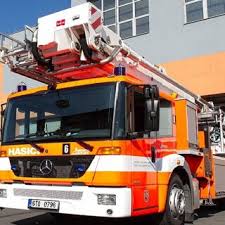
Fire Truck Checks (Demo)
Welcome to the Ember Fire Demo — Fire Truck Checks page. This simulated department will demonstrate how Ember Fire manages daily, weekly, and monthly apparatus inspections, aligning with NFPA 1911 standards while providing modern, digital tools to keep your fleet ready.
What Ember Fire Delivers
Mobile-Friendly Inspections
Conduct apparatus checks right at the vehicle using any tablet or smartphone — no more paper forms or desktop tools.Customizable Checklists
Tailor every inspection form to meet your department’s terminology, apparatus setups, and operational protocols — checklists are flexible and department-specific.Photo Capture & Notes
Easily attach images (e.g., for noted defects) or add comments during the check — all tied to the specific vehicle record.Automated Reminders & Alerts
Set up recurring schedules and receive notifications when a check is missed or an issue is reported. Ensures accountability and prevents oversight.Maintenance Integration
Identified issues can automatically generate maintenance tickets, integrate with your fleet system, and track lifecycle history.
Why It Matters
Operational Readiness — Checks are completed on time, documented properly, and visible to leadership at a glance.
Data-Driven Insights — Collect historical inspection data to detect patterns, schedule preventative maintenance, and extend apparatus life.
Efficiency & Auditing — Digital logging reduces time, error, and paper waste — plus you get a clear audit trail.
Try It Yourself
Ready to experience Ember Fire in action?
Tap into the demo by performing a sample truck check.
Log an inspection, take a photo, and submit your findings.
Watch how Ember triggers alerts, auto-notifications, and logs your entry immediately.
This simulated workflow showcases how Ember Fire keeps fleets in top condition — from checks to corrective action — all within one unified, dynamic system.